Nobody reads instructions before playing a game.
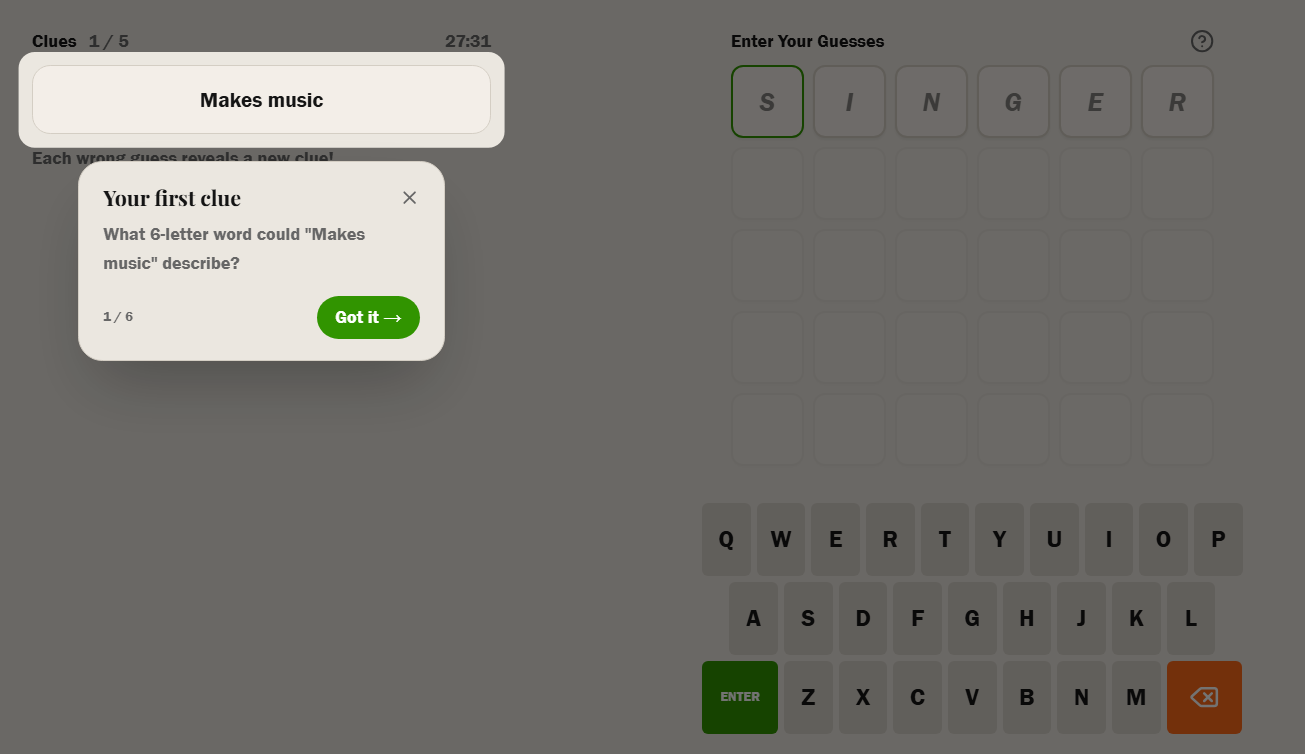
The old how-to-play page was being completely ignored, or misunderstood. I asked a designer friend for help.
The original how-to-play page had a wall of text explaining the instructions across a three-step process. I iterated on it multiple times, but I watched people ignore it completely when they played it in front of me.
I realized nobody reads instructions before playing a game, especially when they can just jump in and start playing. I've literally been guilty of doing the same. This leads to two outcomes - you either figure it out on your own or leave.
What was there before
The old page had three steps:
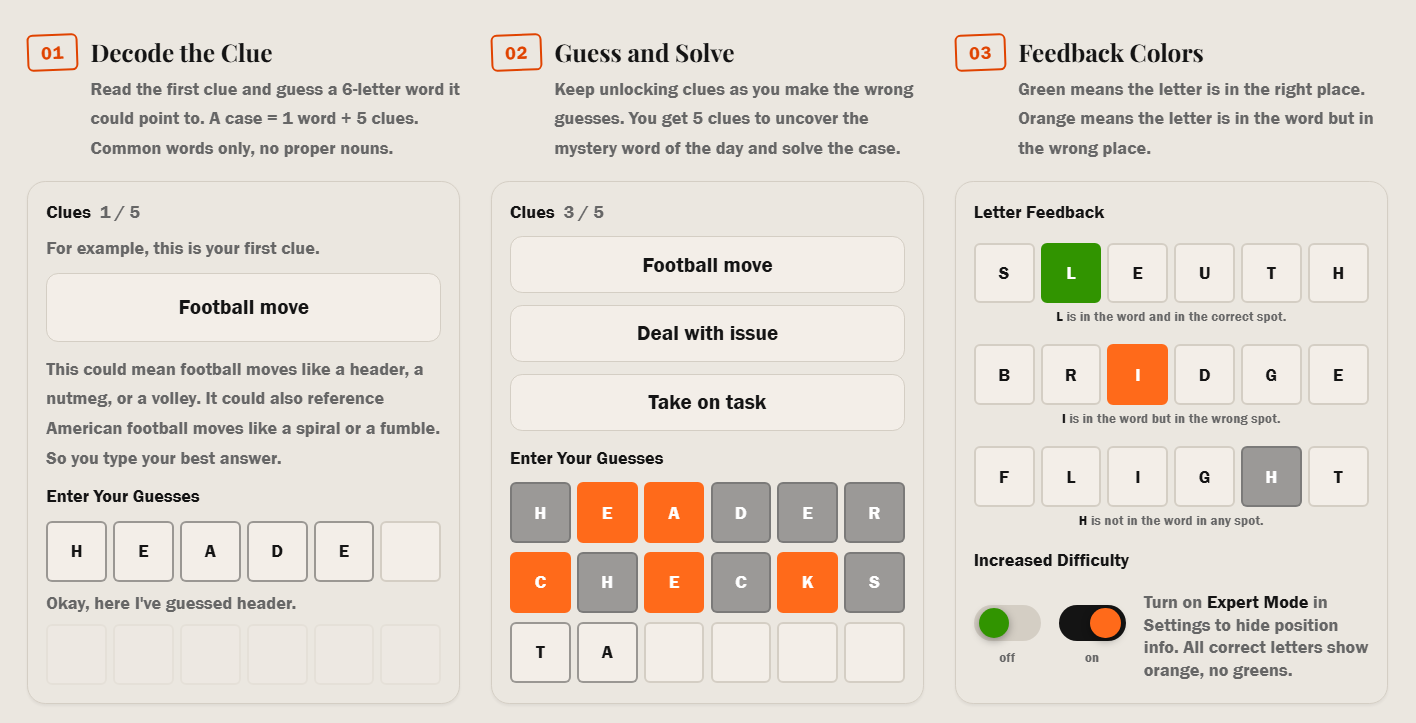
- 01 — Decode the Clue: Read the first clue and guess a 6-letter word it could point to. Each day = 1 word + 5 clues.
- 02 — Guess and Solve: Keep unlocking clues as you make the wrong guesses. You get 5 clues to uncover the mystery word of the day and solve it.
- 03 — Feedback Colors: Green means the letter is in the right place. Orange means the letter is in the word but in the wrong place.
What wasn't working
As the creator I obviously don't want people to leave before they can play a round of the game. Leaving with a bad experience after playing is far from ideal, but I would still take it over someone leaving before they play at all. Two things kept coming up. First, people skipped the page entirely — the button was there but most new players went straight to the game. Second, those who clicked the button found the content too text-heavy to absorb before playing.
The new approach
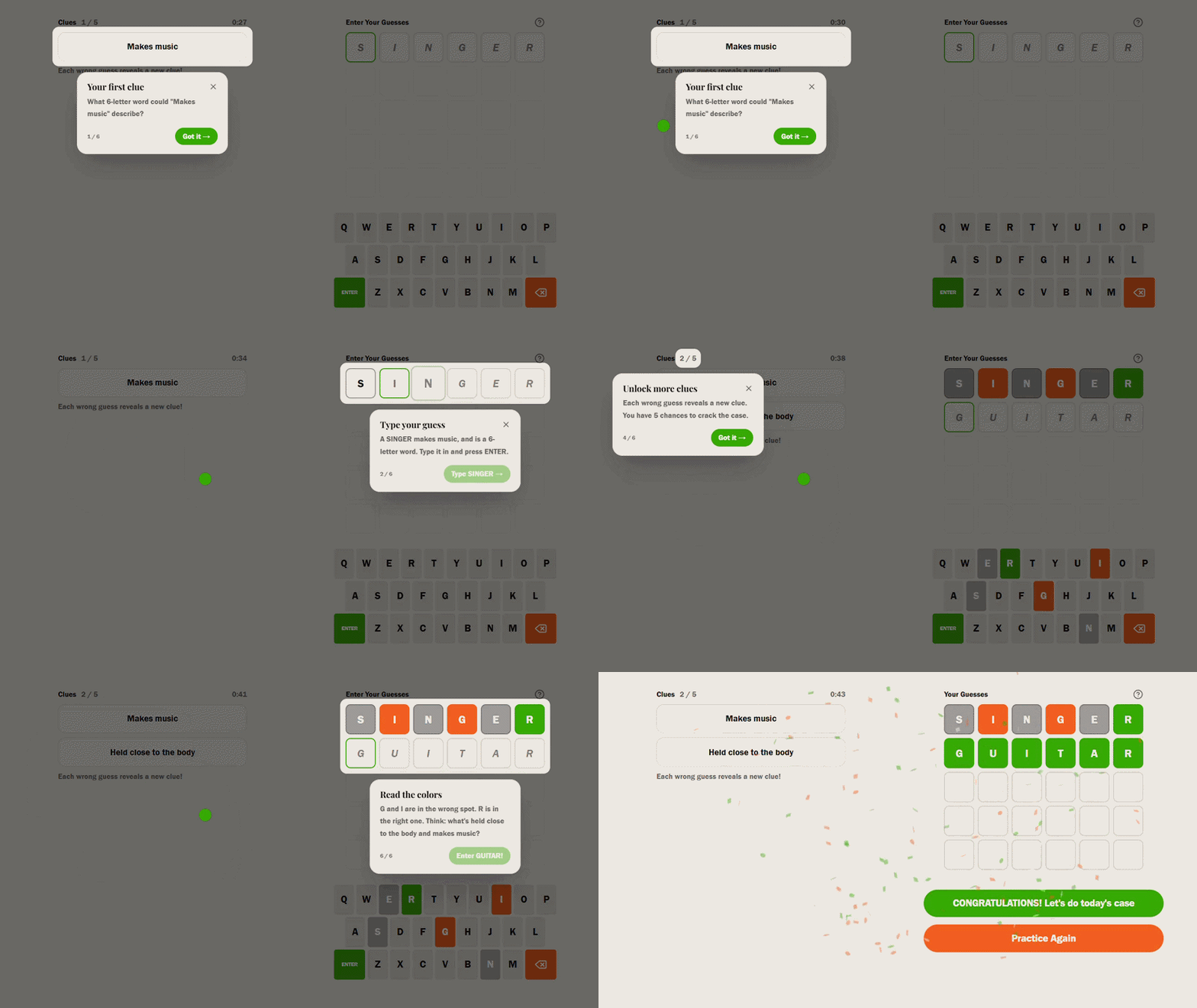
My designer friend was amazing in recommending the concept of modals, which are basically pop-ups for walkthroughs. I rebuilt it as an interactive tutorial that runs inside the actual game. When you click How to Play, you land on a real practice puzzle where the word is GUITAR and a series of modals walk you through it step by step.
The first modal points at the clue and asks what 6-letter word 'Makes music' could describe. Then it tells you to type SINGER — because a SINGER makes music, it's a reasonable first guess. The button doesn't activate until you've typed it.
You press enter, the colors appear on the tiles, and only then does the next modal show up and explain what those colors mean.
Why this works better
The spotlight overlay dims everything except the element you're supposed to look at. And since this modal sits right below the highlighted area you're hopefully reacting to what's on screen in front of you.
If you've been already playing none of this affects you. But if someone new lands on the site and doesn't know what they're doing, I now have a fighting chance of showing them what they are getting into before they decide to leave!
How to Play ClueDay — A new mystery word every day. Learn how to play now.